Windows desktop · Files stay on your PC
Remove logos, stamps and signatures
from any PDF in seconds.
ClearBee uses AI to find supplier logos, stamps and signatures on quotes, tender packs and bid PDFs. You approve every mark, save a clean copy and send it on. Your files stay on your computer.
 Start for free
Detect, Review, Apply, Save
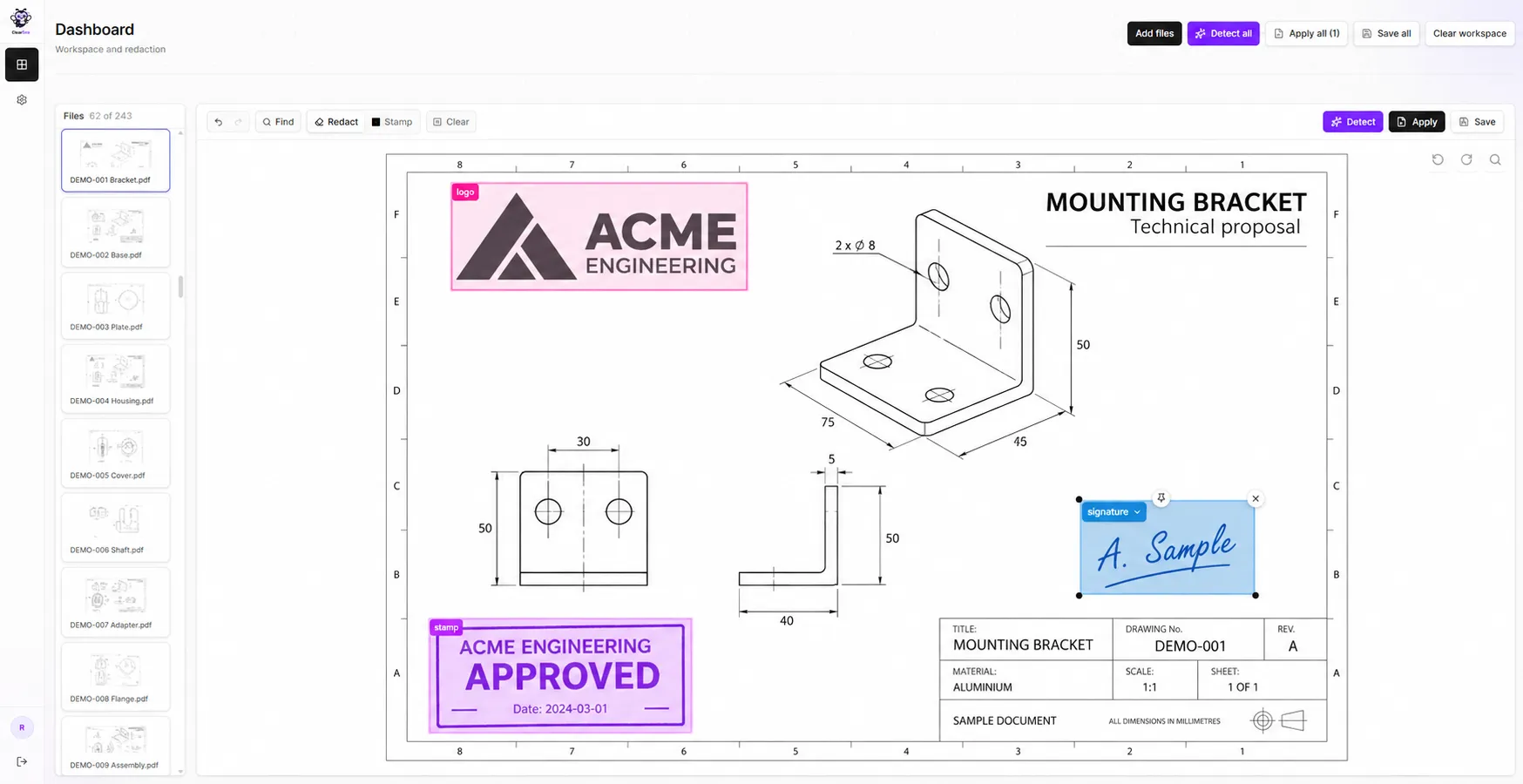
ClearBee on your Windows PC.
“ClearBee saves me many hours of work and energy, and it even took away the pain in my hand from all the clicking.”
One leftover mark is a fairness or liability problem.
Procurement desks still clean PDFs by hand.
Five bids before a committee.
Procurement still scrolls vendor PDFs by hand so logos and stamps do not bias the room.
One internal mark leaves the desk.
You cannot forward a file that still shows a house stamp, logo, or note.
Cloud tools are a non-starter.
Tenders and bid files do not belong in a browser upload.
How it works.
Open a PDF. Detect. Review. Apply. Save.
Add PDFs
Drop in the bid PDF from disk.
Detect
ClearBee finds logos, stamps, and signatures on the page.
Review
Review and edit regions before anything is applied.
Apply & Save
Apply, then Save a clean file next to the original. Bid PDFs stay on your PC.
What ClearBee does.
On your Windows PC. You stay in control.
Detect marks
Finds logos, stamps, and signatures on the page.
Review before Apply
Review and edit regions, then Apply and Save.
Files stay on the PC
Windows desktop. Bid PDFs stay on your PC. Sign-in, model download, billing, and updates may need the internet.
Save a clean copy
Write a clean file next to the original on disk.
Built for bids and procurement
Quotes, tender packs, and bid PDFs.
Local by design
Cleanup on your PC. Sign-in, model download, billing, and updates may need the internet.
Who it's for
Trading & procurement
Forward supplier quotes and proposals without logos or source marks that reveal who sent the file. Cleaned on your PC before it leaves your desk.
Tender & bid
Clean tender packs and bid PDFs before internal review or committee so source branding does not bias the room.
Solo ops
Clean supplier PDFs without sending bid files through a browser cloud tool. ClearBee runs on Windows and your files stay on your computer.
Simple pricing.
USD plans for Windows desks. Starter and Team offer monthly or annual billing.
Start for free, then choose a plan.
Starter
Solo ops
$690/year
Save $138
- 1 machine
- Email support
Team
Procurement & small teams
$1,190/year
Save $238
- 3 machines
- Unlimited documents
- Unlimited batch
- Priority email + onboarding
Business
Busy desks
$1,690/year
- 5 machines
- Unlimited documents
- Onboarding + WhatsApp
- Security overview
Enterprise
Gov, 10+ machines, IT
Custom
- 10+ machines, custom fit
- Named contact and SLA
- MSI / Intune options
- Invoice / PO
Install ClearBee from the Microsoft Store, sign up in the app and start for free. When you pick a paid plan, you pay inside the app. Enterprise is Request a quote.
Frequently asked questions
Start with ClearBee on a real bid PDF.
Start for free. Windows app, your files stay on your computer. Approve every mark, then save a clean copy.